
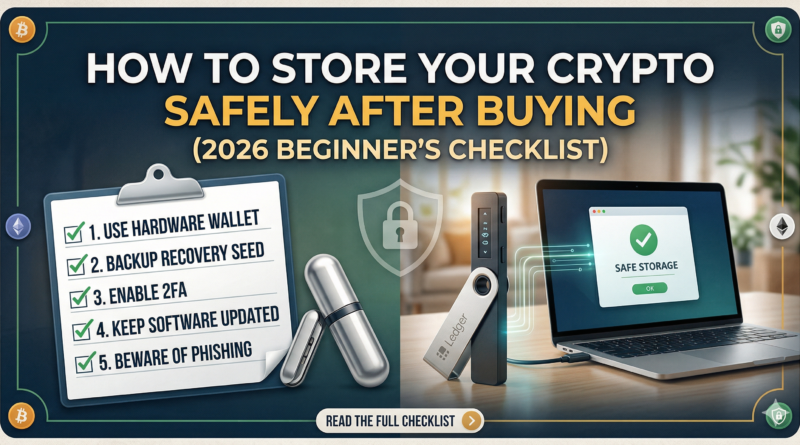
How to Store Your Crypto Safely After Buying (2026 Beginner’s Checklist)
You just bought your first Bitcoin — or maybe some Ethereum, Solana, or another token. That rush of excitement is real. But here’s the thing most beginners skip entirely: buying crypto is only half the job. The other half — arguably the more critical half — is making sure you actually keep it safe.
In 2026, crypto theft, phishing attacks, and exchange hacks remain a daily reality. Billions of dollars in digital assets are lost or stolen every year, not because the blockchain failed, but because individual users didn’t follow basic security practices. The good news? Protecting your investment isn’t complicated once you understand the fundamentals.
This complete beginner’s checklist will walk you through everything you need to know about how to store your crypto safely after buying, from choosing the right wallet to setting up ironclad recovery protocols. Whether you just purchased $50 or $50,000 worth of digital assets, this guide applies directly to you.
1. Why Crypto Storage Is Not Optional
Every week, headlines surface about another user who lost their life savings because they left assets sitting on an exchange — and that exchange was hacked, froze withdrawals, or simply went bankrupt.
“Not your keys, not your coins.” — This phrase is the unofficial law of crypto security. If someone else controls the private keys to your wallet, they control your funds.
Unlike your bank account, crypto has no FDIC insurance. There’s no customer service line to call if your funds disappear. There’s no fraud department to reverse a transaction. The decentralized nature of blockchain is also its greatest vulnerability for new users: you are your own bank, which means you bear 100% of the responsibility for your security.
The upside? Once you set things up correctly, your crypto can be extraordinarily secure — far more than a traditional bank account in many respects. Let’s get you there.
2. Understanding the Two Types of Crypto Storage
Before touching any settings, you need to understand a foundational concept: custodial vs. non-custodial storage.
Custodial Storage
When you buy crypto through a major exchange and leave it there, that’s custodial storage. A third party — the exchange — holds your private keys on your behalf. You see a balance, but technically, you have a claim on their holdings, not direct ownership of coins on-chain.
Pros: Convenient, user-friendly, easy to trade quickly.
Cons: You’re exposed to exchange risk — hacks, insolvency, regulatory seizure, or withdrawal freezes.
Non-Custodial Storage
When you transfer crypto to a wallet where you hold the private keys, that’s non-custodial storage. Only you can authorize transactions. No company, no government, no exchange can freeze or seize your funds (absent physical access to your device or seed phrase).
Pros: True ownership, maximum security, censorship-resistant.
Cons: Requires discipline. If you lose your seed phrase, no one can help you recover your funds.
For any amount you’re not actively trading, non-custodial storage is the gold standard in 2026.
3. What Is a Crypto Wallet (and What It Actually Stores)
Here’s a common misconception: your crypto wallet doesn’t actually “store” your coins the way a physical wallet stores cash. Your coins live on the blockchain — always. What your wallet stores are cryptographic keys.
- Public Key: Think of this like your bank account number. You share it with others so they can send you funds.
- Private Key: Think of this like your PIN — but if someone else gets it, they have complete, irrevocable access to your funds.
A wallet is essentially software (or hardware) that manages these keys and signs transactions on your behalf. When you know how to store your crypto safely after buying, what you’re really learning is how to protect your private keys.
4. Hot Wallets vs. Cold Wallets: A Side-by-Side Comparison
| Feature | Hot Wallet | Cold Wallet (Hardware) |
| Internet Connection | Always connected | Never connected during storage |
| Security Level | Moderate | Very High |
| Convenience | High (instant access) | Lower (requires physical device) |
| Cost | Free | $50–$200+ |
| Best For | Daily spending, small amounts | Long-term holding, large amounts |
| Hack Risk | Higher | Extremely low |
| Recovery Method | Seed phrase | Seed phrase |
| Setup Complexity | Easy | Moderate |
The general rule followed by experienced crypto holders in 2026: use a hot wallet for amounts you’d carry in a physical wallet, and a cold wallet for everything else.
5. Step-by-Step: Moving Crypto Off an Exchange
One of the most impactful steps you can take right now is withdrawing your crypto from an exchange to a personal wallet. Here’s exactly how to do it:
Step 1: Set Up Your Wallet First
Never initiate a withdrawal without having a destination wallet already configured and tested. Choose a reputable software or hardware wallet before doing anything else.
Step 2: Find Your Wallet’s Receive Address
Every wallet has a public receive address — a string of letters and numbers unique to your wallet and the specific cryptocurrency. Always copy-paste this address; never type it manually.
Step 3: Send a Test Transaction
Before transferring your entire balance, send a small test amount (e.g., $5–$10 worth). Confirm it arrives in your wallet before proceeding with the full transfer.
Step 4: Initiate the Full Withdrawal
Once the test transaction is confirmed, return to the exchange and initiate the full withdrawal. Double-check the destination address one final time before confirming.
Step 5: Confirm On-Chain
Use a blockchain explorer (a public tool that shows all transactions) to verify your funds arrived. This typically takes anywhere from a few seconds to 30 minutes depending on network conditions and fees.
Pro Tip: Withdraw during off-peak hours to take advantage of lower network fees. Gas prices on Ethereum, for example, fluctuate significantly throughout the day.
6. How to Set Up a Hardware Wallet Safely
A hardware wallet — a small physical device that stores your private keys offline — is widely considered the most secure option for safely storing cryptocurrency long-term. Here’s how to set one up correctly:
Buying Your Device
Always purchase directly from the manufacturer’s official website. Never buy a hardware wallet from eBay, Amazon third-party sellers, or any source you can’t completely verify. A pre-configured or tampered device could have its seed phrase already compromised.
Initial Setup
- Plug in the device for the first time — it should prompt you to initialize it fresh.
- Create a new wallet (never restore from a seed phrase that came with the box).
- Set a strong PIN — at least 8 characters, not a birthday or simple sequence.
- Write down your seed phrase as instructed (more on this below).
Firmware Updates
Before using a new hardware wallet, check for firmware updates through the official companion app. Manufacturers frequently release security patches.
Passphrase Feature (Advanced)
Most hardware wallets offer an optional 25th word — a passphrase you add to your 24-word seed phrase. This creates a completely separate wallet that can’t be accessed even if someone steals your seed phrase. Highly recommended for large holdings.
7. Seed Phrase Security: The Most Critical Step Most People Miss
Your seed phrase (also called a recovery phrase or mnemonic phrase) is typically 12 or 24 random words generated when you first set up a wallet. It is the master key to your funds. Lose it, and your crypto is gone forever. Expose it, and your crypto can be stolen instantly.
What NOT to Do With Your Seed Phrase
- ❌ Never store it digitally — no photos, no notes apps, no email drafts, no cloud storage
- ❌ Never type it into any website — no legitimate service will ever ask for it
- ❌ Never share it with anyone — including “support agents,” family members, or online community members
- ❌ Never store it in your password manager — your password manager can be hacked
What TO Do With Your Seed Phrase
- ✅ Write it on paper immediately and store it in a secure, fireproof location
- ✅ Consider a metal seed phrase backup (steel or titanium plates that survive floods, fires)
- ✅ Store copies in multiple locations (e.g., home safe + trusted attorney’s lockbox)
- ✅ Verify it works by restoring your wallet on a new device before storing large amounts
Think of your seed phrase like the deed to your house. You wouldn’t store a photo of it in your email. You wouldn’t text it to a friend. Treat it with the same level of gravity.
8. Software Wallet Best Practices for Everyday Use
Software wallets (also called hot wallets) are apps on your phone or computer. They’re ideal for smaller amounts and frequent transactions. Here’s how to use them safely:
Choosing a Reputable Wallet
Stick with wallets that have been audited, have a strong community reputation, and are actively maintained. Look for open-source code that security researchers can review.
Device Security
Your software wallet is only as secure as the device it’s on.
- Use a dedicated device if possible — ideally one used only for crypto.
- Keep your operating system and all apps up to date.
- Install a reputable antivirus/anti-malware program.
- Avoid connecting to public Wi-Fi when accessing your wallet.
- Enable full-disk encryption on your device.
Wallet Backups
Software wallets generate a seed phrase just like hardware wallets. Back it up with the same rigor. If your phone is lost, stolen, or broken, your seed phrase is the only thing that recovers your funds.
9. Two-Factor Authentication: Your Digital Deadbolt
Two-factor authentication (2FA) adds a second layer of security to your exchange accounts and any custodial services you use. Even if someone has your password, they can’t log in without the second factor.
2FA Options Ranked by Security
| Method | Security Level | Notes |
| Hardware Security Key (FIDO2) | ★★★★★ | Best option — phishing resistant |
| Authenticator App (TOTP) | ★★★★☆ | Strong — use for all accounts |
| SMS / Text Message | ★★☆☆☆ | Weak — vulnerable to SIM swapping |
| Email Code | ★★☆☆☆ | Weak — email can be hacked |
SIM swapping is a major threat in 2026 — attackers call your cell carrier, impersonate you, and transfer your phone number to their SIM. This lets them intercept SMS codes. If you’re still using SMS 2FA on your exchange accounts, switch to an authenticator app today.
Setting Up an Authenticator App
- Download a reputable authenticator app on your phone.
- In your exchange account settings, go to Security → 2FA.
- Scan the QR code with the authenticator app.
- Save the backup codes in a secure location (not digitally alongside your password).
- Test it by logging out and back in.
10. How to Recognize and Avoid Phishing Attacks
Phishing is the #1 way crypto is stolen in 2026. Attackers create fake websites, fake support accounts, and fake emails that look identical to legitimate services.
Common Phishing Scenarios
- Fake exchange emails warning your account is compromised and asking you to log in via a provided link
- Fake support agents on Discord, Telegram, or Reddit offering to “help” with wallet issues
- Fake wallet websites that prompt you to enter your seed phrase to “verify” your wallet
- Malicious browser extensions that intercept transactions and swap wallet addresses
- Airdrop scams that require you to connect your wallet to a malicious smart contract
How to Protect Yourself
- Bookmark official websites — only ever navigate to exchanges and wallet services via your saved bookmarks.
- Check URLs carefully — look for subtle misspellings (e.g., “coinbbase.com”).
- Verify SSL certificates — legitimate sites have the padlock icon and proper HTTPS.
- Never click links in emails — go directly to the site by typing the URL or using a bookmark.
- Be suspicious of urgency — “Your account will be suspended in 24 hours” is a classic phishing tactic.
- Use a dedicated browser — consider a separate browser profile exclusively for crypto activity.
11. Crypto Security Checklist: 20 Steps to Complete Right Now
Use this as your master action list. Check off each item as you complete it.
Immediate Actions (Do Today)
- [ ] Move your long-term holdings off exchanges into a personal wallet
- [ ] Write down and securely store your seed phrase(s) — no digital copies
- [ ] Enable an authenticator app for 2FA on all exchange accounts
- [ ] Remove SMS as a 2FA option everywhere possible
- [ ] Update the password on all crypto-related accounts (use a unique, strong password for each)
Device Security
- [ ] Update your phone and computer operating systems
- [ ] Install and run a malware scan on devices used for crypto
- [ ] Enable full-disk encryption on your devices
- [ ] Review browser extensions — remove any you don’t recognize or need
- [ ] Enable auto-lock on your phone and computer
Wallet Security
- [ ] Verify your hardware wallet was purchased directly from the manufacturer
- [ ] Test your seed phrase recovery on a fresh device before storing large amounts
- [ ] Consider a metal backup for your seed phrase
- [ ] Store seed phrase copies in at least two separate physical locations
- [ ] Set a strong PIN on your hardware wallet
Ongoing Practices
- [ ] Bookmark all crypto websites you use — never rely on search engine results
- [ ] Set up withdrawal address whitelisting on exchanges you use
- [ ] Review and revoke unnecessary wallet connections at least monthly
- [ ] Keep a small test amount for new processes — always test before transferring large sums
- [ ] Plan for inheritance — document your security setup for trusted family members
12. Multi-Signature Wallets Explained
For users with significant holdings, a multi-signature (multisig) wallet provides an additional layer of security. Instead of requiring a single key to authorize a transaction, multisig requires multiple keys — for example, 2 out of 3 possible keys.
This means even if one of your devices is stolen, an attacker still can’t move your funds without the second key.
Common Multisig Configurations
- 2-of-3: Requires 2 of 3 keys to sign. One key stored at home, one with a trusted attorney, one in a safe deposit box.
- 3-of-5: For institutional or high-value setups. Requires 3 keys from 5 possible locations.
Multisig is more complex to set up and manage, but for holdings above $50,000, many security experts consider it standard practice in 2026.
13. What Happens to Your Crypto If You Pass Away?
This is a question most beginners never consider — and it’s a genuine risk. Unlike a bank account, there’s no process for heirs to “claim” your crypto without the seed phrase. If you die without leaving instructions, your crypto is effectively gone forever.
Steps to Protect Your Heirs
- Create a written crypto inheritance plan — include wallet types, where seed phrases are stored, and step-by-step instructions.
- Store this plan securely — a sealed envelope with your attorney, a trusted family member, or as part of a formal estate plan.
- Never include seed phrases in a will — wills become public record.
- Update your plan annually or when you make significant changes to your setup.
- Consider a trusted third-party inheritance service — several reputable services specialize in crypto estate planning.
14. Red Flags That Mean Your Crypto May Already Be at Risk
If any of these apply to you, take action immediately:
- You’ve entered your seed phrase into any website or app (even one that looked legitimate)
- You clicked a link in an email and logged into an exchange or wallet service
- Someone reached out to “help” you on social media and you shared any account information
- You downloaded a wallet app from a source other than the official app store or website
- Your exchange account has only SMS-based 2FA enabled
- You’re using the same password for crypto accounts as other websites
- Your seed phrase is stored in a photo, notes app, email, or cloud service
If any of these apply, act immediately: transfer funds to a new wallet with a freshly generated seed phrase, change all passwords, and enable proper 2FA.
15. Summary: The Foundation of Crypto Security
How to store your crypto safely after buying comes down to three foundational principles:
- Own your keys — move assets off exchanges into non-custodial wallets where only you hold the private keys.
- Protect your seed phrase — treat it like the most valuable physical document you own. Never store it digitally.
- Layer your security — use strong, unique passwords, authenticator-app 2FA, hardware wallets for large amounts, and constant vigilance against phishing.
The crypto space rewards those who take security seriously. The steps above are not optional extras — they are the baseline practices that distinguish people who keep their crypto from those who lose it.
Start with the 20-step checklist above. Work through it systematically. Your future self will thank you.
Frequently Asked Questions
What is the safest way to store large amounts of cryptocurrency?
The safest method for storing large amounts of cryptocurrency is a hardware wallet combined with a metal seed phrase backup stored in multiple secure physical locations. For holdings above $50,000, consider a multi-signature wallet setup that requires multiple keys to authorize transactions. Always purchase hardware wallets directly from the manufacturer, never from third-party resellers.
Is it safe to leave crypto on an exchange?
Leaving crypto on an exchange carries real risk. Exchanges have been hacked, gone bankrupt, and frozen withdrawals with no warning. For amounts you’re not actively trading, a personal non-custodial wallet is significantly safer. A general rule: don’t keep more crypto on an exchange than you’d be comfortable losing entirely.
What happens if I lose my seed phrase?
If you lose your seed phrase and have no backup, your crypto is permanently inaccessible — there is no recovery option. This is why creating secure, redundant backups of your seed phrase immediately after wallet setup is the most critical security step. Consider metal backups stored in fireproof, waterproof locations for long-term holdings.
Can someone steal crypto from a hardware wallet?
A hardware wallet that is properly set up and securely stored is extremely difficult to compromise. An attacker would need physical access to the device AND your PIN. However, your seed phrase — which can restore any wallet without the physical device — must be protected equally. If someone gets your seed phrase, the physical hardware wallet becomes irrelevant.
What is the difference between a hot wallet and a cold wallet for beginners?
A hot wallet is connected to the internet — typically a free mobile or desktop app — ideal for small amounts and frequent use, similar to cash in your physical wallet. A cold wallet (usually a hardware device) stores your private keys completely offline, making it immune to remote hacking. Cold wallets are ideal for long-term storage of larger amounts you don’t need immediate access to.
Last updated: 2026 | This article is for educational purposes only and does not constitute financial or investment advice.