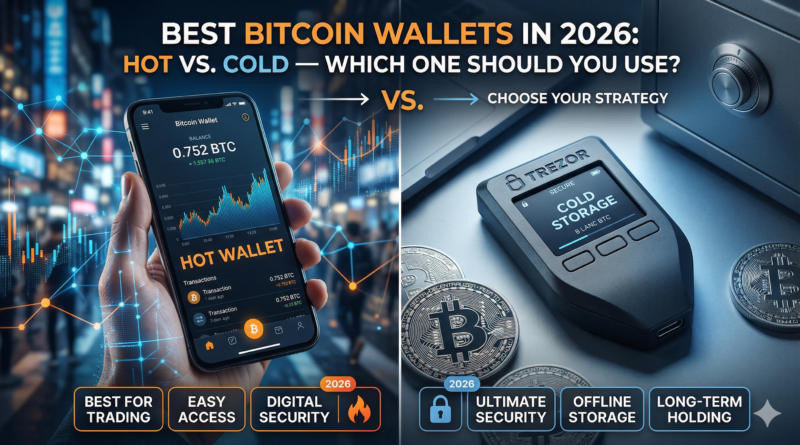
Best Bitcoin Wallets in 2026: Hot vs. Cold — Which One Should You Use?
You’ve finally decided to take your Bitcoin off an exchange. Smart move. But now you’re staring at dozens of wallet options, each promising ironclad security and effortless usability — and you have no idea where to start.
Here’s the truth: choosing the best Bitcoin wallet in 2026 is one of the most important decisions you’ll make as a crypto holder. The wrong choice could mean losing everything. The right one gives you full control, true ownership, and peace of mind.
In this guide, we’ll break down exactly what separates a hot wallet from a cold wallet, which options lead the pack in 2026, and how to match the right wallet to your personal needs and risk tolerance.
What Is a Bitcoin Wallet and Why Does It Matter?
A Bitcoin wallet doesn’t actually “store” your Bitcoin. What it stores is your private key — the cryptographic proof that you own the Bitcoin associated with a particular address on the blockchain.
Think of it like a safe-deposit box. The bank holds the vault, but only your key can open your box. Lose the key, lose access. Let someone copy the key, lose your funds.
This is why the phrase “not your keys, not your coins” has become a mantra in the crypto community — and why the best Bitcoin wallets put private key control squarely in your hands.
In 2026, wallet technology has matured significantly. Multi-signature authentication, biometric unlock, air-gapped signing, and passphrase layers are now standard features rather than premium additions. Still, the fundamental choice remains the same: hot wallet or cold wallet?
Hot Wallets vs. Cold Wallets: The Core Difference
Before diving into specific products, you need to understand the architectural difference between these two wallet categories — because it shapes everything else.
What Is a Hot Wallet?
A hot wallet is any Bitcoin wallet connected to the internet. That includes:
- Mobile apps on your smartphone
- Desktop applications on your computer
- Browser extensions
- Web-based wallets
Hot wallets are convenient. You can send and receive Bitcoin in seconds, check your balance anywhere, and interact with DeFi protocols and exchanges seamlessly. However, because they’re always online, they’re exposed to a wider attack surface — phishing, malware, exchange hacks, and SIM-swapping attacks.
What Is a Cold Wallet?
A cold wallet (also called cold storage) keeps your private keys completely offline. The most common form is a hardware wallet — a small physical device resembling a USB drive that signs transactions without ever exposing your keys to an internet-connected computer.
“The safest Bitcoin is Bitcoin that has never touched an internet-connected device.” — A widely-held principle among long-term crypto holders.
Cold wallets are ideal for storage. If you’re holding a significant amount of Bitcoin and don’t need to transact frequently, cold storage dramatically reduces your risk profile.
Types of Bitcoin Wallets Explained
The Bitcoin wallet ecosystem in 2026 spans five main categories:
1. Hardware Wallets (Cold)
Physical devices that store private keys offline. Considered the gold standard for long-term storage. Transactions are signed on-device and broadcast via a connected computer or phone.
2. Software Wallets (Hot)
Applications installed on a desktop or laptop. Full node support is often available, giving you maximum privacy and validation power.
3. Mobile Wallets (Hot)
Smartphone apps that combine convenience with reasonable security. Most support QR-code payments and NFC tap-to-pay. Best for everyday spending.
4. Paper Wallets (Cold)
A printed document containing your public and private keys, often as QR codes. Low-tech but vulnerable to physical damage and human error. Largely replaced by hardware wallets.
5. Custodial Wallets (Exchange-Hosted)
Wallets where a third party holds your private keys. Convenient, but you’re trusting the platform entirely. Not recommended for significant holdings.
Top Hot Wallets in 2026
Best Overall Mobile Hot Wallet: BlueWallet
BlueWallet remains a community favorite in 2026 for its clean interface, Lightning Network integration, and open-source codebase. It supports both on-chain Bitcoin and Lightning payments, making it versatile for daily use.
Key Features:
- Full Lightning Network support
- Multi-wallet management
- Watch-only wallet capability
- Open-source and audited
- Available on iOS and Android
Best for: Users who want a reliable daily-driver for spending Bitcoin.
Best Desktop Hot Wallet: Sparrow Wallet
For privacy-focused users, Sparrow Wallet has become the de facto desktop standard. It connects directly to your own full node or a public Electrum server, giving you complete visibility into your transactions.
Key Features:
- Full UTXO management and coin control
- Connects to your own Bitcoin node
- Hardware wallet integration (works as a companion app)
- Detailed transaction analytics
- Multisig support
Best for: Advanced users, privacy advocates, and anyone running a full node.
Best Browser Extension Hot Wallet: Alby
For users deeply embedded in the Lightning ecosystem — tipping creators, micropayments, Nostr integrations — Alby has solidified its position as the go-to browser extension wallet.
Key Features:
- Seamless Lightning payments in-browser
- Nostr key management
- WebLN and LNURL support
- Connect to own node or hosted account
Best for: Content creators, developers, and Lightning power users.
Top Cold Wallets in 2026
Best Overall Hardware Wallet: Coldcard Mk5
The Coldcard Mk5 is the choice of Bitcoin maximalists, security professionals, and anyone who refuses to compromise. It’s Bitcoin-only, which its supporters view as a feature — a narrower attack surface and cleaner firmware.
Key Features:
- Air-gapped signing via MicroSD card (no USB required)
- Secure element chip (dual-chip design)
- Passphrase support (BIP39)
- Dice roll entropy for true randomness
- Open-source firmware
Best for: Long-term holders, technically inclined users, maximum security setups.
Consideration: Steeper learning curve than consumer-oriented competitors.
Best Beginner Hardware Wallet: Foundation Passport (Batch 2)
Foundation Devices has built a reputation for combining serious security with an approachable experience. The Passport uses open-source hardware and firmware, and its design prioritizes transparency.
Key Features:
- Fully open-source hardware and software
- Air-gapped via QR codes or MicroSD
- Large color display
- MicroSD backup support
- Compatible with major companion apps
Best for: Security-conscious users who want a premium experience without a steep learning curve.
Best Value Hardware Wallet: Trezor Model T (2026 Edition)
The Trezor Model T remains a competitive choice for those who want proven hardware wallet security at a reasonable price point. Its touchscreen interface lowers the barrier to entry.
Key Features:
- Touchscreen display
- Supports Bitcoin and multiple other assets
- Shamir Backup (SLIP39) for advanced seed phrase splitting
- Open-source firmware
- USB-C connection
Best for: New-to-intermediate users who want a well-tested, reputable option.
Best for Discreet Storage: SeedSigner
SeedSigner is a DIY, air-gapped Bitcoin signing device built from off-the-shelf Raspberry Pi components. Because it’s assembled from generic parts, it’s virtually impossible to identify as a Bitcoin device — a meaningful consideration for physical security.
Key Features:
- Air-gapped only (no connectivity)
- Stateless design — no keys stored on device
- Build-it-yourself or buy pre-assembled
- QR code-based transaction signing
- Fully open-source
Best for: Privacy maximalists, technically inclined users, those concerned about supply chain attacks.
Hot vs. Cold: Side-by-Side Comparison
| Feature | Hot Wallet | Cold Wallet |
| Internet Connection | Always online | Offline |
| Convenience | ⭐⭐⭐⭐⭐ | ⭐⭐ |
| Security Level | Medium | Very High |
| Best Use Case | Daily spending | Long-term storage |
| Setup Difficulty | Easy | Moderate–Advanced |
| Cost | Free | $50–$200+ |
| Recovery Options | Seed phrase | Seed phrase + passphrase |
| Attack Surface | Broad | Minimal |
| Offline Signing | No | Yes |
Comparing the Top Picks: Feature Matrix
| Wallet | Type | BTC Only | Open Source | Air-Gapped | Beginner Friendly | Price |
| BlueWallet | Hot (Mobile) | Yes | ✅ | ❌ | ✅ | Free |
| Sparrow | Hot (Desktop) | Yes | ✅ | ❌ | ⚠️ | Free |
| Alby | Hot (Extension) | No | ✅ | ❌ | ✅ | Free |
| Coldcard Mk5 | Cold (Hardware) | Yes | ✅ | ✅ | ❌ | ~$149 |
| Foundation Passport | Cold (Hardware) | Yes | ✅ | ✅ | ✅ | ~$199 |
| Trezor Model T | Cold (Hardware) | No | ✅ | ❌ | ✅ | ~$179 |
| SeedSigner | Cold (DIY) | Yes | ✅ | ✅ | ❌ | ~$60 |
How to Choose the Right Bitcoin Wallet for You
The best Bitcoin wallet for you depends on four key variables:
1. How Much Bitcoin Are You Holding?
This is the single most important factor.
- Less than $1,000 in Bitcoin: A reputable hot wallet is sufficient for most people. The risk of self-custody errors (losing your seed phrase, etc.) may outweigh the risk of a software wallet attack.
- $1,000–$10,000: Consider splitting — keep a small amount in a hot wallet for convenience, and move the majority to a hardware wallet.
- $10,000+: A hardware wallet is not optional. Cold storage is the responsible choice at this level.
2. How Frequently Do You Transact?
If you’re paying for coffee in Bitcoin, you need a mobile hot wallet. If you’re buying and holding for years, you need cold storage. Many experienced Bitcoiners operate both: a Lightning hot wallet for spending, and a hardware wallet as their savings account.
3. What’s Your Technical Comfort Level?
Be honest with yourself. A Coldcard Mk5 is phenomenally secure, but if the setup complexity causes you to make mistakes or skip backups, you’ve introduced risk through human error. Sometimes the right wallet is the one you’ll actually use correctly.
4. What’s Your Threat Model?
- Worried about exchange hacks and platform insolvency? Any self-custody wallet solves this.
- Worried about remote hacks and malware? Move to cold storage.
- Worried about physical theft? Use a passphrase on your hardware wallet and store backups separately.
- Worried about government seizure or coercion? Explore plausible deniability options like Coldcard’s duress PIN or passphrase-derived hidden wallets.
Security Best Practices for Bitcoin Storage
Owning a hardware wallet doesn’t make you secure. How you use it does. Follow these practices to protect your Bitcoin in 2026:
Backup Your Seed Phrase Immediately
When you set up a new wallet, you’ll receive a 12- or 24-word seed phrase. This is the master key to all your Bitcoin.
- Write it down on paper — never type it into any digital device
- Store copies in at least two physically separate locations
- Consider a metal backup (stamped steel plates) for fire and water resistance
- Never photograph your seed phrase
Use a Strong Passphrase
Most hardware wallets support an optional BIP39 passphrase — a 13th or 25th word you choose. This creates a completely separate wallet and provides a second layer of protection even if someone finds your seed phrase.
Verify Receive Addresses on Your Device
Before sending Bitcoin to your wallet, always verify the receiving address on your hardware wallet’s screen, not just on your computer. Malware can silently replace clipboard addresses.
Buy Hardware Wallets Directly
Only purchase hardware wallets from official manufacturer websites. Third-party resellers and marketplaces introduce supply chain risk — devices can be pre-compromised before they reach you.
Keep Firmware Updated
Manufacturers regularly release security patches. Check for firmware updates periodically, but only download them from the official manufacturer’s website.
Common Mistakes to Avoid
Even experienced Bitcoin holders make these errors. Don’t be one of them:
- Storing your seed phrase digitally — screenshots, cloud notes, email drafts. Any internet-connected storage is vulnerable.
- Using a custodial wallet for large holdings — exchanges have been hacked, gone bankrupt, and frozen withdrawals. If you don’t hold the keys, you don’t own the Bitcoin.
- Skipping the passphrase — a seed phrase alone, if found, is sufficient to drain your wallet. A passphrase adds a critical second factor.
- Never testing your backup — before relying on a backup, do a small test recovery on a secondary device to confirm it works.
- Falling for seed phrase phishing — no legitimate wallet app, support team, or website will ever ask for your 12 or 24 seed words. Ever.
- Single point of failure — one copy of your seed phrase in one location means one fire, flood, or theft away from losing everything.
The Case for Both: A Layered Bitcoin Wallet Strategy
The most secure and practical approach for serious Bitcoin holders in 2026 isn’t a binary choice — it’s a layered wallet architecture:
- Layer 1 — Lightning Hot Wallet (e.g., BlueWallet): For small daily amounts, spending, and Lightning payments. Think of this as your checking account.
- Layer 2 — Hardware Wallet (e.g., Foundation Passport or Coldcard): For your core Bitcoin savings. Treat this like a brokerage account — move funds in thoughtfully, don’t touch it casually.
- Layer 3 — Deep Cold Storage (optional for larger holders): An air-gapped device or multi-sig setup where funds are almost never moved. Think of this as your long-term savings vault.
This approach gives you the best of both worlds: daily usability without compromising the security of your core holdings.
FAQ
What is the safest Bitcoin wallet available in 2026?
For pure security, air-gapped hardware wallets like the Coldcard Mk5 or SeedSigner offer the highest level of protection. They sign transactions completely offline, meaning your private keys are never exposed to an internet-connected device. Pair either with a strong BIP39 passphrase and a metal seed backup for a near-bulletproof setup.
Is it safe to keep Bitcoin on a hot wallet?
Hot wallets are safe for small amounts used in day-to-day transactions, similar to carrying cash in a physical wallet. For significant holdings — anything you’d be devastated to lose — hot wallets carry unnecessary risk. The general rule: only keep on a hot wallet what you’d be comfortable losing.
What happens if I lose my hardware wallet?
If you lose the device but still have your seed phrase (and passphrase, if set), you can restore full access to your Bitcoin on any compatible wallet using those words. The device itself contains no irreplaceable information. This is why protecting your seed phrase backup is more important than protecting the hardware wallet device.
Do I need a separate wallet for Bitcoin and other cryptocurrencies?
If you’re a Bitcoin-only holder, Bitcoin-only wallets like Coldcard or Foundation Passport are recommended — a smaller codebase means fewer potential vulnerabilities. If you hold multiple assets, multi-asset wallets like Trezor or Ledger may be more convenient, though the added complexity comes with added surface area.
How do I know if a Bitcoin wallet is legitimate and not a scam?
Look for these trust signals: open-source code that has been publicly audited, a verifiable company with a real-world presence, positive reviews from reputable Bitcoin security researchers, and active community development. Avoid any wallet that asks for your seed phrase during setup (a major red flag), promises unusually high returns, or has no verifiable track record.
Final Thoughts: Your Bitcoin, Your Rules
At the end of the day, the best Bitcoin wallet in 2026 is the one that fits your holdings, your habits, and your threat model — and that you’ll actually use correctly.
If you’re just getting started, a reputable mobile hot wallet is a perfectly reasonable first step. As your holdings grow, adding a hardware wallet becomes less optional and more essential. And if you’re in it for the long haul, a layered storage strategy offers both the convenience you need today and the security you’ll appreciate for years to come.
The tools available in 2026 are better than they’ve ever been. There’s no excuse for leaving your Bitcoin on an exchange or storing your seed phrase in a text file. Take ownership. Secure your keys. The rest takes care of itself.
This article is for informational purposes only and does not constitute financial or investment advice. Always do your own research before making decisions about cryptocurrency storage.